
Elios Data Processing
Put each inspection image back in context.
Review confined-space point clouds and linked inspection images in the same workspace. Connect the detail your inspector captured with its location in the asset.
Operational workflow
This workflow requires a prepared inspection package with the point cloud, trajectory and image references needed for linked review.
What your team can review.
Confirm the package contents and the review functions your project requires.
For confined-space inspection providers; asset owners reviewing tanks, stacks, plants, and enclosed infrastructure; inspection teams linking imagery back to spatial context.
- Hosted point cloud review for supported Elios packages
- Flight-path context where trajectory data is supplied
- Frame and photo markers from prepared image references
- Linked image review in the inspection pane
- Annotations connected with the asset record
- A scoped handoff for reviewer access and reporting
See the evidence in context.
These product views show the spatial detail and inspection context available from prepared datasets.
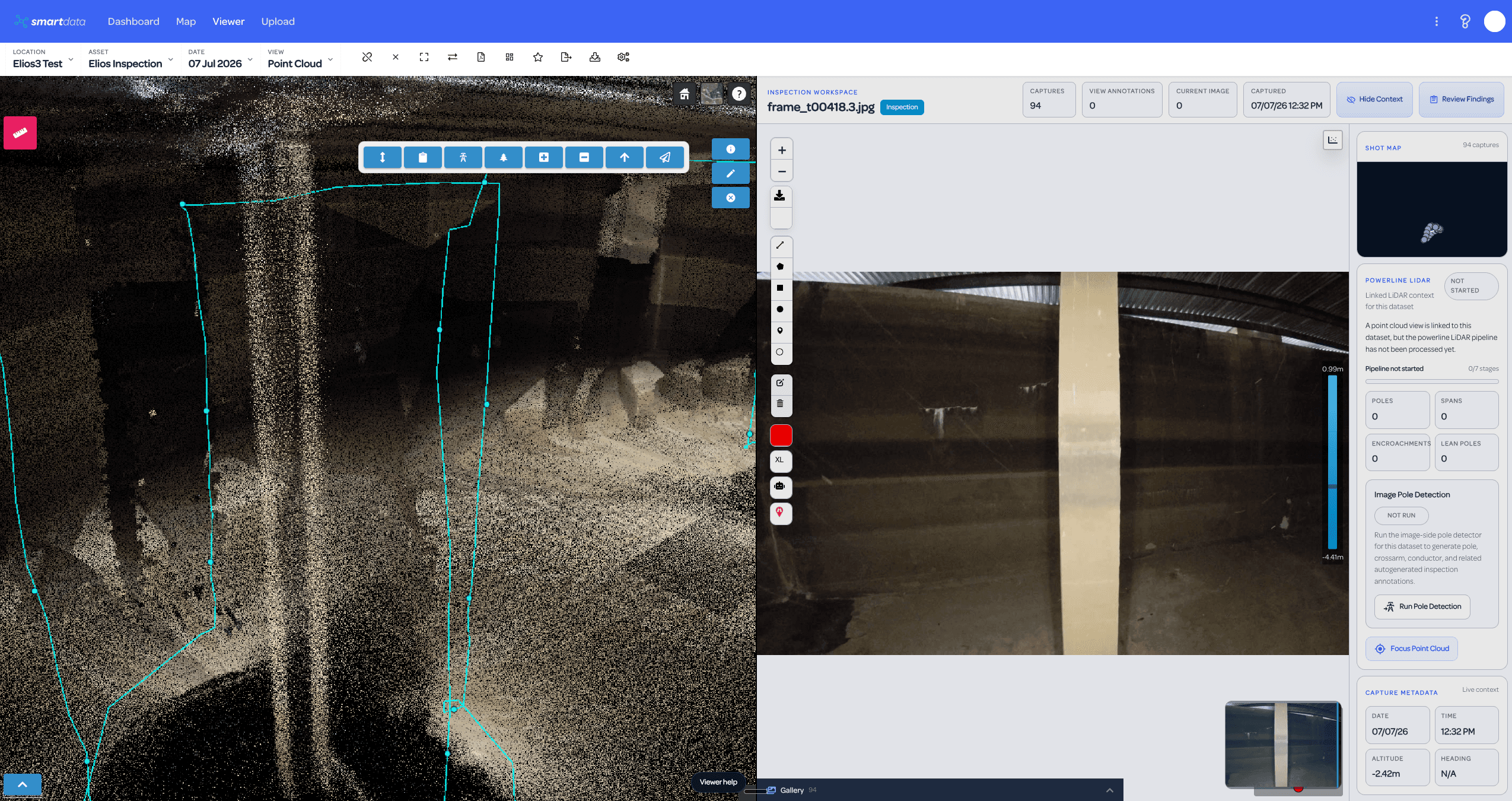
Point cloud and frame review side by side
Review a selected Elios capture against its spatial point cloud context, with inspection metadata and capture controls visible in the same workspace.
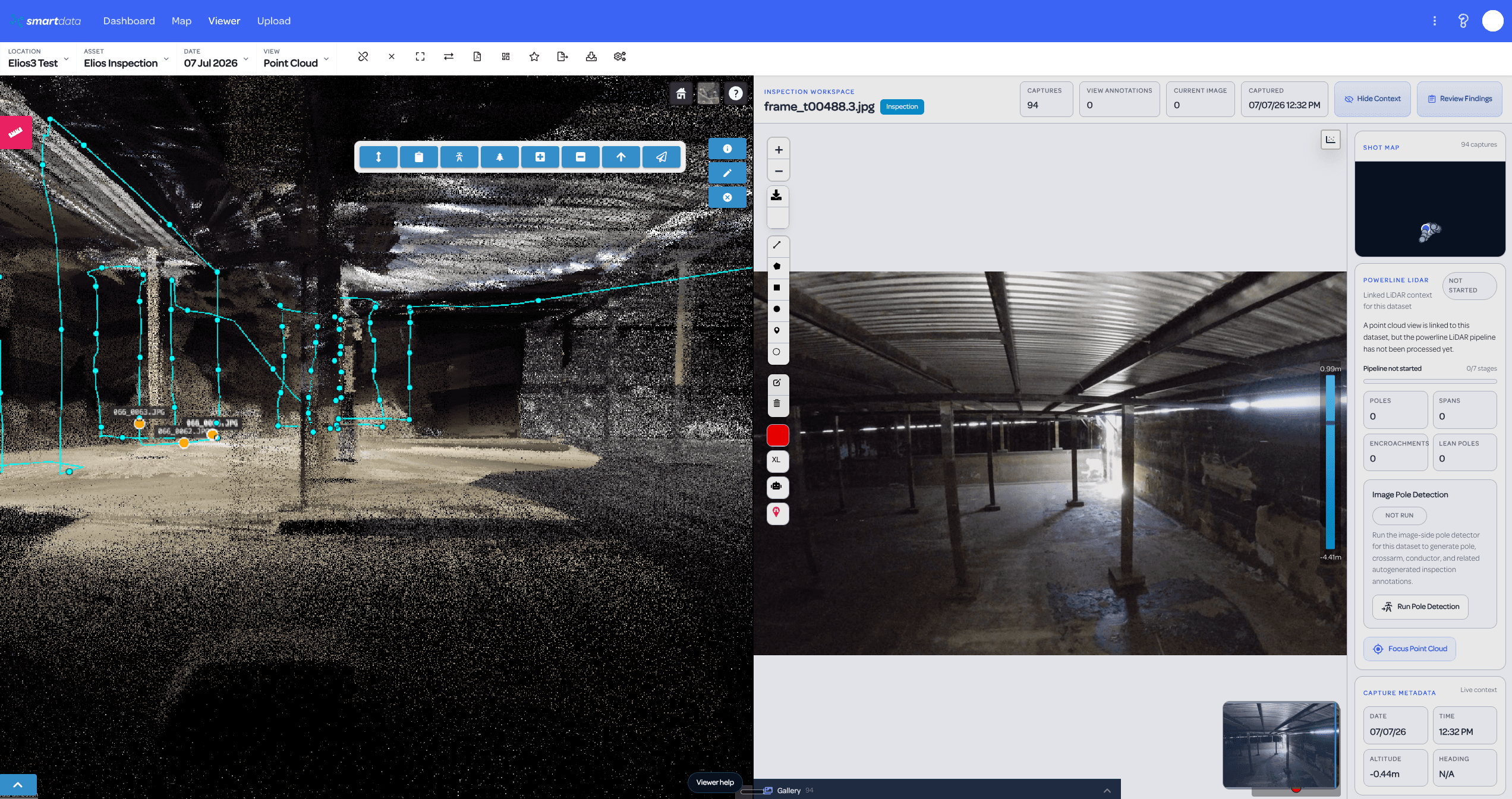
Capture markers tied back to imagery
Use frame markers and the shot map to move from the 3D inspection context into the source image evidence without handing reviewers a loose folder.
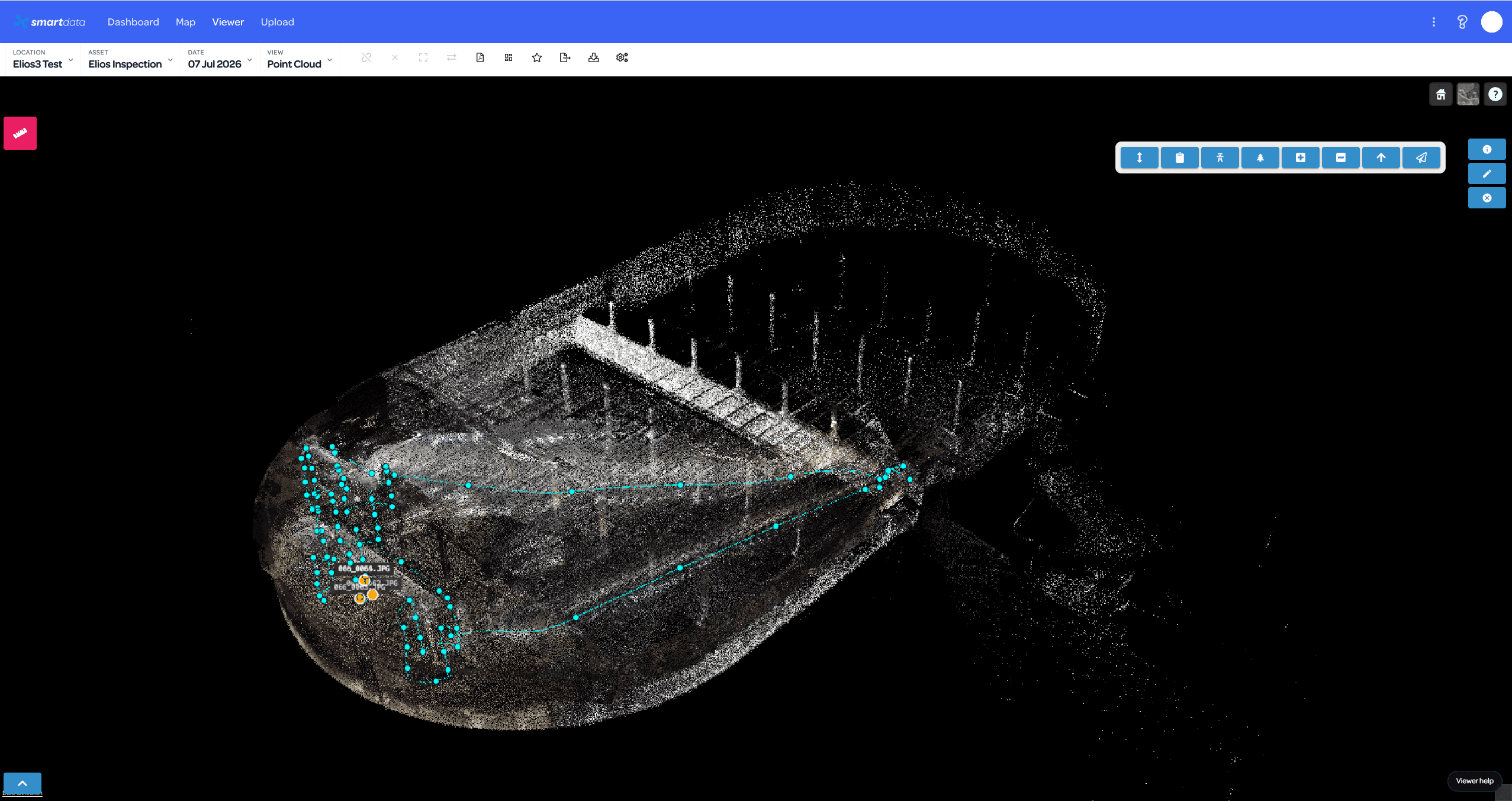
Full confined-space point cloud context
Show the complete Elios inspection environment with trajectory context, capture clusters, and the structure visible as a hosted SmartData point cloud.
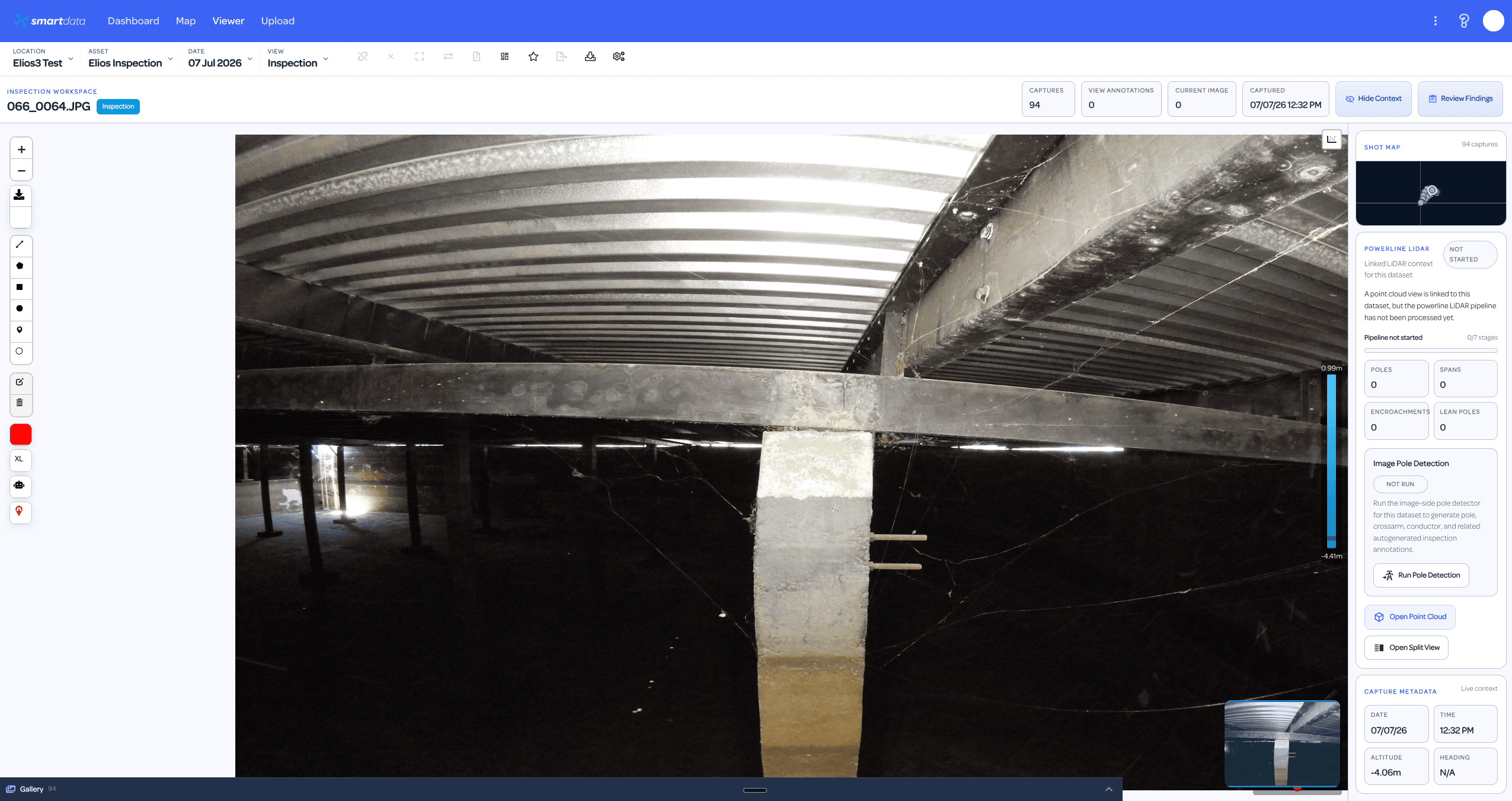
Image workspace with inspection metadata
Open the inspection image workspace directly, keeping the shot map, capture date, altitude, review controls, and point cloud link close to the image.
From your package to team review.
- Prepare the full-inspection Elios package with point cloud, trajectory, and image references.
- Upload or process the package into the supported SmartData view type.
- Open the point cloud with flight path and frame/photo markers.
- Click markers or covered points to review linked imagery in the SmartData inspection pane.
- Share the dataset with reviewers and export findings as needed.
Availability and data requirements
- Linked imagery requires correctly prepared image references at processing time.
- Older uploads do not automatically gain missing image links.
- The team will confirm supported package contents before the first project.
Why explore this workflow?
- Keep the image and its location together.
- Share a prepared spatial inspection record with asset reviewers.
- Retain useful context through the inspection handoff.
Before the first project.
What do we need to supply?
Start with your inspection point cloud, trajectory and image exports. The team will confirm the package and references needed for linked image review.
Do older uploads gain image markers?
Only if they contain the required data and references. The package may need to be prepared again.
Can we see an Elios demo?
Request a guided Elios workflow demo. The public sample assets do not demonstrate every inspection package or image-link function.
Put your inspection data in context.
Tell us what you have and what the team needs to review. We will confirm the workflow fit and agree on the next step.